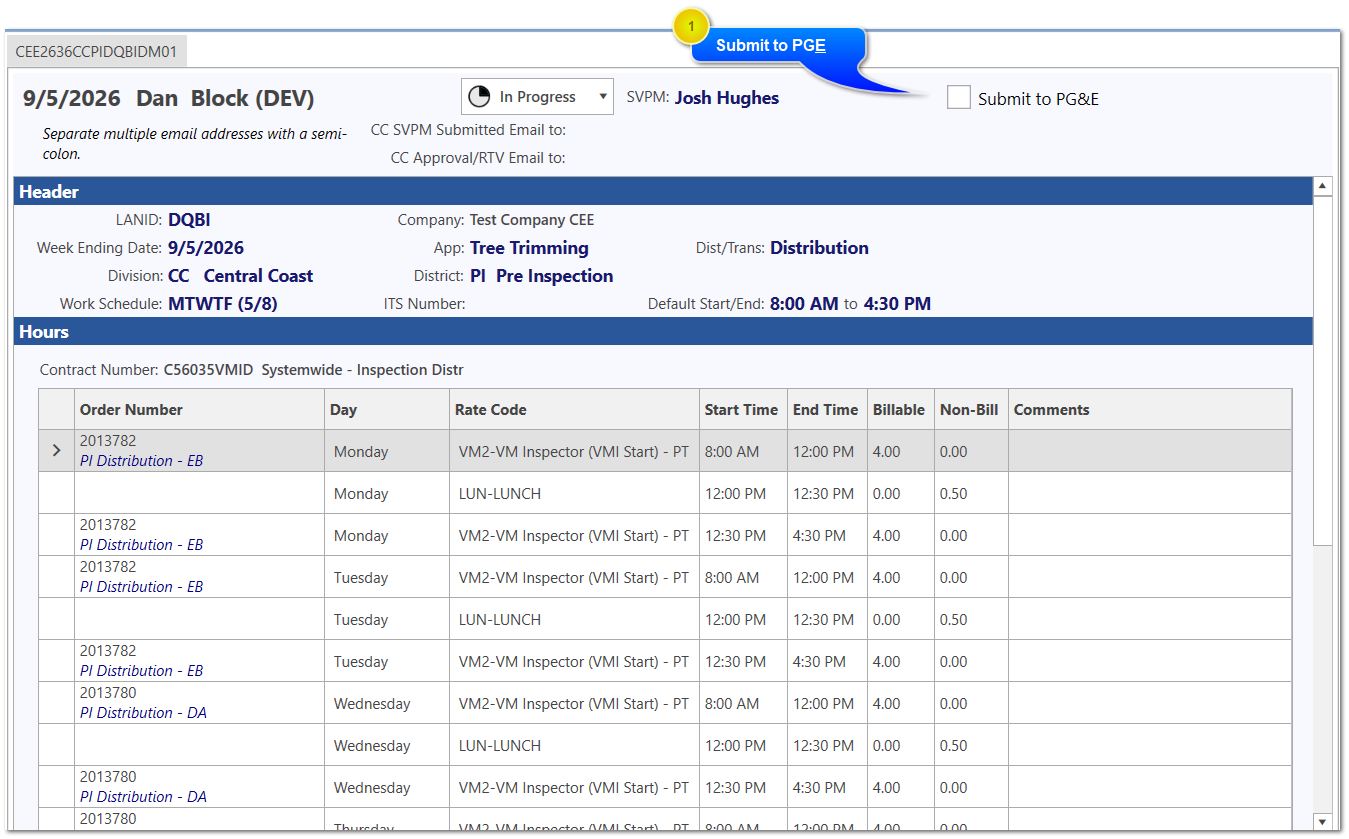
Once the timecard is saved it will appear as shown below. The blue banner indicates the timecard is in Browse mode. A timecard can only be submitted when in Browse mode.
Submit to PG&E
Click the checkbox to submit to PGE. You are asked to confirm your submission. Once submitted you have 24 hours to un-submit the timecard and make additional changes. After that the form will need to be RTV'd if you want to make changes.
When the form is submitted to PGE, a final PDF report is created, then attached to an email that is sent to the SVPM for review and approval.